Showing posts with label Master Reset. Show all posts
Showing posts with label Master Reset. Show all posts
Sunday, October 16, 2011
How to Hard Reset Verizon's Samsung Stratosphere i405
Here's a simple tip on how to factory reset the Samsung Stratosphere i405 from Verizon.
The Samsung Stratosphere is Verizon’s first 4G LTE slider. This new Android handset runs on Android Gingerbread, a WVGA display Super AMOLED Plus, 5MP rear camera, and a 1.3MP front-facing camera.
But however, if you'll experience any low performance, hang or frozen problem, a factory reset may help to restore back your Samsung Stratosphere to it's original factory default settings. But just ensure to have a back copy of all your important data files like contacts, messages, etc. that are stored in the handset for it will be all deleted on this process.
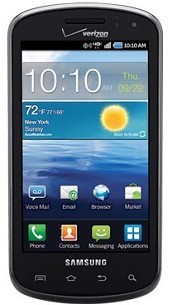
Here's how to reset your Samsung Stratosphere
Factory reset
-From the Home Screen, tap Settings
-then scroll to and then select Privacy
-then scroll to and select Factory Data Reset
-then select Reset Phone
-then select Erase Everything
Hard Reset
You can either type and enter this code *2767*3855# or do a button combination below if the Samsung Stratosphere experience hang problem like just stuck on the start up logo.
ContinueReading..
The Samsung Stratosphere is Verizon’s first 4G LTE slider. This new Android handset runs on Android Gingerbread, a WVGA display Super AMOLED Plus, 5MP rear camera, and a 1.3MP front-facing camera.
But however, if you'll experience any low performance, hang or frozen problem, a factory reset may help to restore back your Samsung Stratosphere to it's original factory default settings. But just ensure to have a back copy of all your important data files like contacts, messages, etc. that are stored in the handset for it will be all deleted on this process.
Here's how to reset your Samsung Stratosphere
Factory reset
-From the Home Screen, tap Settings
-then scroll to and then select Privacy
-then scroll to and select Factory Data Reset
-then select Reset Phone
-then select Erase Everything
Hard Reset
You can either type and enter this code *2767*3855# or do a button combination below if the Samsung Stratosphere experience hang problem like just stuck on the start up logo.

Tuesday, March 15, 2011
Tips on How to Hard Reset the HTC Wildfre S
Here's a trick, a step by step instructionson how to hard reset the HTC Wildfire S .
This procedure may help fix, if the phone become sluggish, unresponsive or frozen. And restore the HTC Wildfire S phone to its original factory default settings.
Please note this process will delete and wipe all data stored or installed on your HTC Wildfire S but this may not delete the data stored on the microSD memory card. Just make a back up copy of all your important applications,documents and files before proceeding.
Just follow this steps below:

If that doesn't work, or if your phone is frozen:
ContinueReading..
This procedure may help fix, if the phone become sluggish, unresponsive or frozen. And restore the HTC Wildfire S phone to its original factory default settings.
Please note this process will delete and wipe all data stored or installed on your HTC Wildfire S but this may not delete the data stored on the microSD memory card. Just make a back up copy of all your important applications,documents and files before proceeding.
Just follow this steps below:
- From the main home screen, tap menu
- Tap Settings, then Privacy
- Tap Factory data reset
- Tap Reset phone
- Enter your password if required, then tap Erase everything to confirm

If that doesn't work, or if your phone is frozen:
- Turn the power off. If your HTC Wildfire S is frozen, pull the battery out and reinsert it
- Hold the Volume Down button
- Press and hold the Power button until the device turns on
- You are now presented with a menu that allows for Fastbook, Recovery, Clear Storage, and Simlock
- Select Clear Storage by pressing the Volume Down button
- Press and release the Power button
- Now simply confirm your decision: Volume Up for YES and Volume Down for NO
Subscribe to:
Posts (Atom)