Wednesday, November 16, 2011
How to connect the Samsung Galaxy Note to PC or Laptop
It's so easy to connect your Samsung Galaxy Note to your PC using a USB cable if you want to browse your data files that has been stored on your phone's microSD card, synchronize your contacts or accounts using Samsung Kies, transferring files such as photos, videos, ringtones etc. To do this you may need to have a kies installed on your PC so that the desired USB driver for your Galaxy Note will be installed as well. You can download Kies program from samsung website. www.samsung.com/kies
Here's how to connect the Galaxy Note to PC and access the memory card. (a removable disk file directory will appear on your PC, separate from internal memory of your phone.
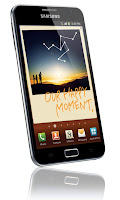 - From idle mode, select Application list.
- Then tap on Settings
- Tap Wireless and Network
- Select USB Utilities
- then select Connect Mass Storage to PC.
Then connect your Galaxy Note to PC with the USB cable or multifunction jack
When connected Touch USB connected or Turn on USB storage
- A USB icon will appear in the top left Notifications area of the screen.
- On the PC, go to My Computer then locate the newly file drive directory that appears as your Galaxy Note mass storage. You can now have the access to browse, sync, copy or transfer files that you want from your Galaxy Note microSD card to your PC or laptop.
ContinueReading..
Here's how to connect the Galaxy Note to PC and access the memory card. (a removable disk file directory will appear on your PC, separate from internal memory of your phone.

- Then tap on Settings
- Tap Wireless and Network
- Select USB Utilities
- then select Connect Mass Storage to PC.
Then connect your Galaxy Note to PC with the USB cable or multifunction jack
When connected Touch USB connected or Turn on USB storage
- A USB icon will appear in the top left Notifications area of the screen.
- On the PC, go to My Computer then locate the newly file drive directory that appears as your Galaxy Note mass storage. You can now have the access to browse, sync, copy or transfer files that you want from your Galaxy Note microSD card to your PC or laptop.

Saturday, October 22, 2011
How to Take Screenshot on T-Mobile Samsung Galaxy S2 T989
If you'll need to have a screen captured on your T-Mobile Samsung Galaxy S2 (S II) SGH-T989, that's too very easy. You don't need to have it rooted or install any software tools or screenshot capture application just to have a screenshots of your phone.
You can directly take a screenshots right away from your device because the Samsung Galaxy S2 is already has it's own built in screen capture function. All you need to do is just - by pressing the HOME button and then quickly press and release the Power button. (you have to push the power button quickly because the task manager comes up if you keep the home button pushed too long)
 The taken screenshots will then be saved on the phones image gallery folder.
This will also works on AT&T Samsung Galaxy S II SGH-I777 and Samsung Galaxy S II I9100 (global version). This is how tech bloggers and developers do when they want to share a screenshot sample of their newly develop android themes or custom ROMs out over on the internet.
ContinueReading..
You can directly take a screenshots right away from your device because the Samsung Galaxy S2 is already has it's own built in screen capture function. All you need to do is just - by pressing the HOME button and then quickly press and release the Power button. (you have to push the power button quickly because the task manager comes up if you keep the home button pushed too long)

This will also works on AT&T Samsung Galaxy S II SGH-I777 and Samsung Galaxy S II I9100 (global version). This is how tech bloggers and developers do when they want to share a screenshot sample of their newly develop android themes or custom ROMs out over on the internet.
Tuesday, October 18, 2011
How to increase battery life of AT&T Samsung Galaxy S II SGH-I777
If you had experience and somehow had trouble with the rapidly draining battery of your Samsung Galaxy S2 (SII) by AT&T. In most recent reports that the new AT&T Samsung Galaxy S II had a poor battery life.
Others says that this is due to a poor system OS or some bugs issues that one of the main reason why your phone drains its battery so fast.

So, how to get your Samsung Galaxy S2 I777 improved the battery life performance?
Here's a few tweaks we gathered so far and shared by Singuy1234 who already had his Samsung Galaxy S2 battery life problem fixed.
You can read the whole story at XDA-developer. We'll hope that Samsung will release a new firmware update that fix for this battery draining issue a soon as possible.
ContinueReading..
Others says that this is due to a poor system OS or some bugs issues that one of the main reason why your phone drains its battery so fast.

So, how to get your Samsung Galaxy S2 I777 improved the battery life performance?
Here's a few tweaks we gathered so far and shared by Singuy1234 who already had his Samsung Galaxy S2 battery life problem fixed.
My phone is no longer draining massive amount of battery life when idle (3-5% after 7 hours of idle), android system usage is now down to 5-15% instead of 78-97% from before.
My fixes.
1. Turn off data syncing
2. Turn off wifi while on the road (so wifi doesn't constantly look for signals).
3. Clear memory
Yes, att installs a lot of bloatware that constantly update for changes.
If killing those services AND disabling data syncing doesn't help your problem, then you have a kernel problem (like myself).
If this is the case, do the following:
1. Take phone back to AT&T and get a replacement
OR
2. Re-flash your android with the STOCK kernel found here
http://forum.xda-developers.com/show....php?t=1286432
OR
3. Reflash with cognition x2 (reported to solve a member's problem, I didn't try this myself).
You can read the whole story at XDA-developer. We'll hope that Samsung will release a new firmware update that fix for this battery draining issue a soon as possible.
Sunday, October 16, 2011
How to Hard Reset Verizon's Samsung Stratosphere i405
Here's a simple tip on how to factory reset the Samsung Stratosphere i405 from Verizon.
The Samsung Stratosphere is Verizon’s first 4G LTE slider. This new Android handset runs on Android Gingerbread, a WVGA display Super AMOLED Plus, 5MP rear camera, and a 1.3MP front-facing camera.
But however, if you'll experience any low performance, hang or frozen problem, a factory reset may help to restore back your Samsung Stratosphere to it's original factory default settings. But just ensure to have a back copy of all your important data files like contacts, messages, etc. that are stored in the handset for it will be all deleted on this process.
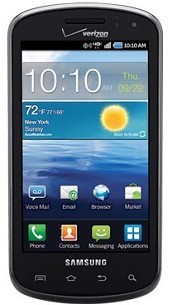
Here's how to reset your Samsung Stratosphere
Factory reset
-From the Home Screen, tap Settings
-then scroll to and then select Privacy
-then scroll to and select Factory Data Reset
-then select Reset Phone
-then select Erase Everything
Hard Reset
You can either type and enter this code *2767*3855# or do a button combination below if the Samsung Stratosphere experience hang problem like just stuck on the start up logo.
ContinueReading..
The Samsung Stratosphere is Verizon’s first 4G LTE slider. This new Android handset runs on Android Gingerbread, a WVGA display Super AMOLED Plus, 5MP rear camera, and a 1.3MP front-facing camera.
But however, if you'll experience any low performance, hang or frozen problem, a factory reset may help to restore back your Samsung Stratosphere to it's original factory default settings. But just ensure to have a back copy of all your important data files like contacts, messages, etc. that are stored in the handset for it will be all deleted on this process.
Here's how to reset your Samsung Stratosphere
Factory reset
-From the Home Screen, tap Settings
-then scroll to and then select Privacy
-then scroll to and select Factory Data Reset
-then select Reset Phone
-then select Erase Everything
Hard Reset
You can either type and enter this code *2767*3855# or do a button combination below if the Samsung Stratosphere experience hang problem like just stuck on the start up logo.
Saturday, October 15, 2011
Download T-Mobile Samsung Galaxy S II t989 User Manual
If you have bought T-Mobile Samsung Galaxy S II SGH-T989 already and somehow looking for the user manual so that you'll learn how to tweaks your newly android phone and have fun making use of it, download the user's guide from the link below.
The T-Mobiles Samsung Galaxy S II is also known as "Hercules" - this devices comes with 4.52 inches display screen with a little bit more curved in the four corners body unlike the size of Galaxy S2 Sprint D710 and Galaxy S2 AT&T which has 4.3″ only, so do the SGS2 GT I9100 International version. But still it uses Super AMOLED Plus Capacitive Touchscreen with TouchWiz UI v4.0 and protected with scratch-resistant surface via Corning Gorilla Glass Display. For the screen resolution, and equipped with WVGA touchscreen in (800 x 480 pixels) pixel resolutions. Isn't it nice!
We'll here's your T-Mobile Samsung Galaxy S II t989 User Manual - T989_English_User_Guide.pdf

ContinueReading..
The T-Mobiles Samsung Galaxy S II is also known as "Hercules" - this devices comes with 4.52 inches display screen with a little bit more curved in the four corners body unlike the size of Galaxy S2 Sprint D710 and Galaxy S2 AT&T which has 4.3″ only, so do the SGS2 GT I9100 International version. But still it uses Super AMOLED Plus Capacitive Touchscreen with TouchWiz UI v4.0 and protected with scratch-resistant surface via Corning Gorilla Glass Display. For the screen resolution, and equipped with WVGA touchscreen in (800 x 480 pixels) pixel resolutions. Isn't it nice!
We'll here's your T-Mobile Samsung Galaxy S II t989 User Manual - T989_English_User_Guide.pdf
Samsung Galaxy S II SGH-T989 by T-Mobile User Manual
Saturday, October 1, 2011
how to set a different ringtones on you Samsung Galaxy Gio S5660
This just a simple tips on how to set a different ringtones on you Samsung Galaxy Gio. If you already downloaded your favorite MP3 songs on your PC and want to transfer it in your Galaxy and customize at as your personal message or alert tones, all you have to do is connect your Samsung Galaxy Gio to your computer or laptop via USB cable and then select "connection type" and get access to storage memory card.
Here's how to connect Galaxy Gio into Mass Storage Mode Option:
- On Main Home Screen tap Menu > Settings > Application
- Enable USB Debugging
- Return to Home Screen
- Then plug the USB cable into your Galaxy S2
- Pull down status bar
- Press ' Connect USB Storage' button
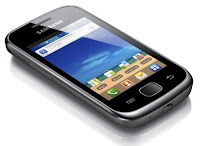 Alternative way without USB Debugging
- Go to Settings > Wireless & Network
- USB utilities and click the button >
- then plug in USB cable
Once you've establish a connection from you Galaxy Gio to your PC, just browse to your mass storage
then find the folder "Notifications", if its not on there, create a new folder and simply renamed it "Notifications".
>SDCARD/ MEDIA/ AUDIO/ NOTIFICATIONS
Then grab a copy music files you wanted from your computer and paste into that folder "Notifications". Once finishes, disconnect your Galaxy Gio from the computer. Then you can set that music files as your message tone.
- Go to Message/Inbox icon located at the bottom of your Samsung Galaxy Gio screen
- In the Message/Inbox Settings simply choose the file that you've copied as your message ringtone
If you already have a music files stored on your Samsung Galaxy Gio S5660, do this steps below:
- Go to "My Files" then copy that mp3 music file you like to use as your messages ringtone.
( Just tap and hold that music file then you can choose either to copy or move that music file)
- Next, paste that music file in your media folder > SDCARD/ MEDIA/ AUDIO/ NOTIFICATIONS
- Go to Message/Inbox icon located at the bottom of your Samsung Galaxy Ace screen
- In the Message/Inbox Settings simply choose the music file that you've copied as your message ringtone
If you have a problem about the volume loudness, this sometimes happens that your custom ringtone volume is too low compared to the pre-installed ringtone on your Galaxy Gio which as much louder.
You can try using this program, MP3GAIN, to boost up maximized the volume of your mp3's decibels.
http://mp3gain.sourceforge.net/download.php
Or this app from Android Market..Volume+ (Sound Boost)
currently using this app for my boosted up mp3s using MP3GAIN.
But works only on Gingerbread..
https://market.android.com/details?id=com.TEST.android.lvh&feature=search_result
ContinueReading..
Here's how to connect Galaxy Gio into Mass Storage Mode Option:
- On Main Home Screen tap Menu > Settings > Application
- Enable USB Debugging
- Return to Home Screen
- Then plug the USB cable into your Galaxy S2
- Pull down status bar
- Press ' Connect USB Storage' button

- Go to Settings > Wireless & Network
- USB utilities and click the button >
- then plug in USB cable
Once you've establish a connection from you Galaxy Gio to your PC, just browse to your mass storage
then find the folder "Notifications", if its not on there, create a new folder and simply renamed it "Notifications".
>SDCARD/ MEDIA/ AUDIO/ NOTIFICATIONS
Then grab a copy music files you wanted from your computer and paste into that folder "Notifications". Once finishes, disconnect your Galaxy Gio from the computer. Then you can set that music files as your message tone.
- Go to Message/Inbox icon located at the bottom of your Samsung Galaxy Gio screen
- In the Message/Inbox Settings simply choose the file that you've copied as your message ringtone
If you already have a music files stored on your Samsung Galaxy Gio S5660, do this steps below:
- Go to "My Files" then copy that mp3 music file you like to use as your messages ringtone.
( Just tap and hold that music file then you can choose either to copy or move that music file)
- Next, paste that music file in your media folder > SDCARD/ MEDIA/ AUDIO/ NOTIFICATIONS
- Go to Message/Inbox icon located at the bottom of your Samsung Galaxy Ace screen
- In the Message/Inbox Settings simply choose the music file that you've copied as your message ringtone
If you have a problem about the volume loudness, this sometimes happens that your custom ringtone volume is too low compared to the pre-installed ringtone on your Galaxy Gio which as much louder.
You can try using this program, MP3GAIN, to boost up maximized the volume of your mp3's decibels.
http://mp3gain.sourceforge.net/download.php
Or this app from Android Market..Volume+ (Sound Boost)
currently using this app for my boosted up mp3s using MP3GAIN.
But works only on Gingerbread..
https://market.android.com/details?id=com.TEST.android.lvh&feature=search_result
Monday, September 26, 2011
How to Fix a Frozen, Hang in Logo Problem on Samsung Galaxy S II / S2 I9100
The Samsung Galaxy S2 is a high-end Android device because of it's1.2 GHz dual-core System on a chip processor. It also features 1 GB of RAM, but sometimes it also experience some hang or frozen problem. It just sometimes freezes without no means, and this reportedly happens very rare. This may occurred due to the phones memory getting too, low like for example, running multiple applications, scrolling down long texts or phone book that happens once in a while, etc.
Once your Samsung Galaxy S II is frozen it become unresponsive, the first thing you only have in mind is to restart the phone. You may either pull out the battery and insert it back again, or just by pressing the power button will also do.
This are just simple tips on how to solve on a Hanged or Frozen Samsung Galaxy S II:
A. You may need to reboot the phone by pressing the power button until the device turned OFF and reboot automatically.
B. Perform a factory data reset. This will restore back and reset the Galaxy S2 to its factory default settings.
1. Select Settings then Privacy
2. Select Factory Data Reset
3 Select Reset Phone
4. if the password is prompted just enter it then select Erase Everything to confirm.
C. Hard reset the device by way of button combination- this can be useful if the procedures above doesn't fix the problem. Just ensure to have a back up copy of all of your important data stored on the device for this will wipe and delete all of it.
-Press and hold the Volume Up and Home button
-Then press the Power button
-Release the Power button until the device Turns On.
-You will then see a window called "recovery menu" on your Galaxy S2.
The options is in there to, Wipe Data/Factory reset, Reboot. Just select Reset Factory. Then reboot.
 If the above procedures like factory reset or hard reset doesn't fix the frozen problem.
Our next option for this is by restoring the device original stock-firmware. This will clean up and return the phone to its original factory fresh like the way you bought it brand new. A Samsung flasher tool called ODIN Multidownloader can do the job. You can find some tips on how to restore back the device Firmware flashing or downloading procedure on Samsung Galaxy S2.
Sometimes there are severe hang or frozen problem that is due to hardware issue if the device suffered wet or water damaged, heavily dropped and oxidation build ups inside the phones PCB board, and this problem can only be fix by hardware calibration. A mobile phone technician in a service center with a good soldering skills can only fix it.
ContinueReading..
Once your Samsung Galaxy S II is frozen it become unresponsive, the first thing you only have in mind is to restart the phone. You may either pull out the battery and insert it back again, or just by pressing the power button will also do.
This are just simple tips on how to solve on a Hanged or Frozen Samsung Galaxy S II:
A. You may need to reboot the phone by pressing the power button until the device turned OFF and reboot automatically.
B. Perform a factory data reset. This will restore back and reset the Galaxy S2 to its factory default settings.
1. Select Settings then Privacy
2. Select Factory Data Reset
3 Select Reset Phone
4. if the password is prompted just enter it then select Erase Everything to confirm.
C. Hard reset the device by way of button combination- this can be useful if the procedures above doesn't fix the problem. Just ensure to have a back up copy of all of your important data stored on the device for this will wipe and delete all of it.
-Press and hold the Volume Up and Home button
-Then press the Power button
-Release the Power button until the device Turns On.
-You will then see a window called "recovery menu" on your Galaxy S2.
The options is in there to, Wipe Data/Factory reset, Reboot. Just select Reset Factory. Then reboot.

Our next option for this is by restoring the device original stock-firmware. This will clean up and return the phone to its original factory fresh like the way you bought it brand new. A Samsung flasher tool called ODIN Multidownloader can do the job. You can find some tips on how to restore back the device Firmware flashing or downloading procedure on Samsung Galaxy S2.
Sometimes there are severe hang or frozen problem that is due to hardware issue if the device suffered wet or water damaged, heavily dropped and oxidation build ups inside the phones PCB board, and this problem can only be fix by hardware calibration. A mobile phone technician in a service center with a good soldering skills can only fix it.
Subscribe to:
Posts (Atom)